1. Open support from the app
Choose Contact support on the connection screen, or Support at the bottom of the navigation rail after connecting. You can request help even if connecting to Partner Center is the problem.
The consent dialog explains the diagnostic context used to prepare a temporary support form. Choose Cancel to stop without creating that form.
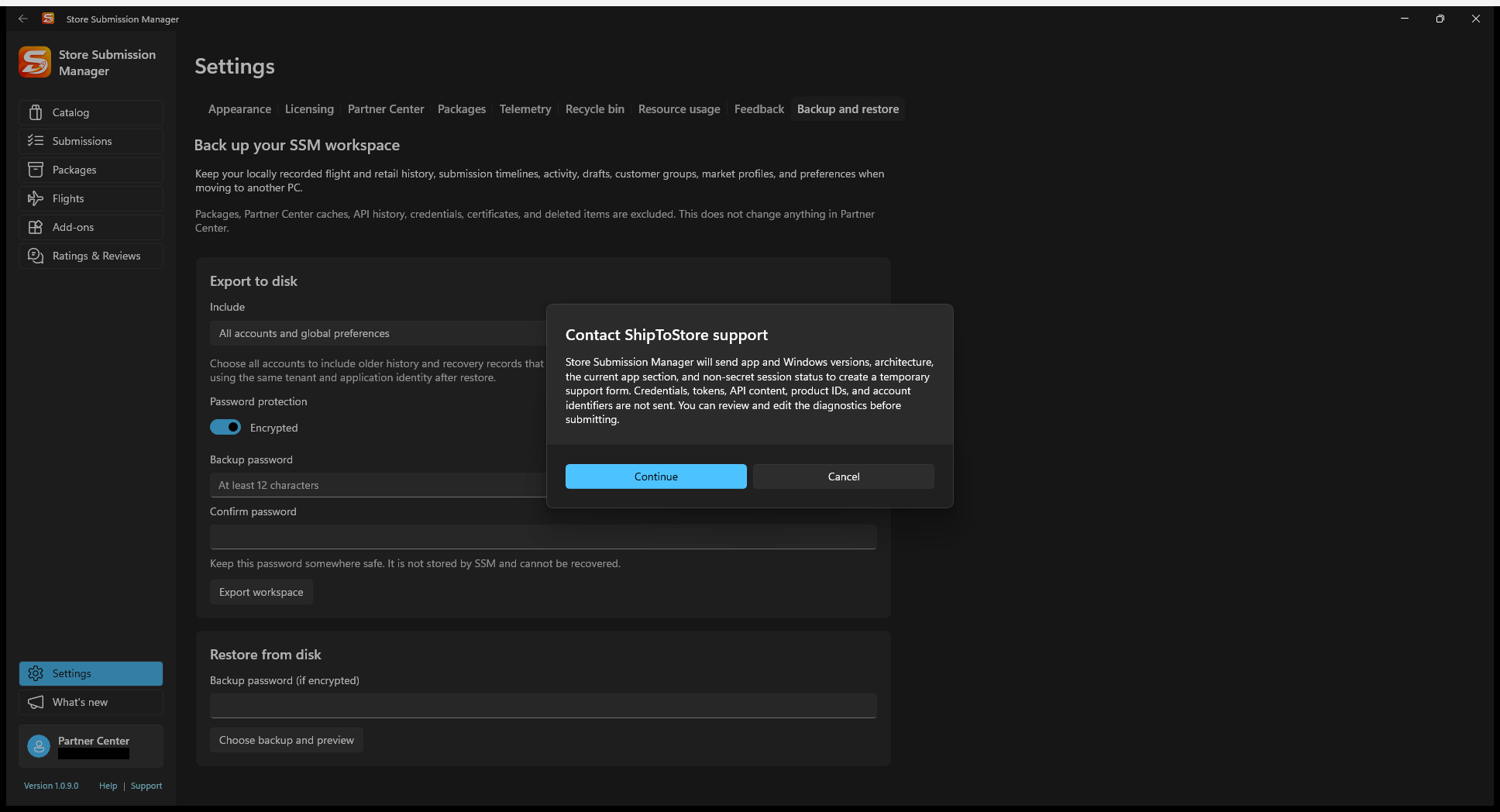
2. Review the diagnostic context
With consent, SSM sends app and Windows versions, architecture, current app section, and non-secret session status to prepare the form. Its automatic context excludes credentials, tokens, API content, product IDs, and account identifiers.
Choose Continue to open the temporary form. Review and edit its diagnostics before submitting. Anything you manually paste into the message is your responsibility to sanitize as well.
Do not include client-secret values, access tokens, passwords, certificate private keys, connection-file exports, or unreviewed API payloads. An error message and reproducible steps are usually more useful than a full raw dump.
3. Fill the request
- Enter your Email address so support can respond.
- Choose a Category and write a specific Subject, such as “Flight draft save fails after selecting a retained package.”
- In What happened?, describe the steps, expected behavior, actual behavior, and the sanitized error text.
- Say whether the operation may already have changed Partner Center state and what you have tried. Include the approximate time and time zone when relevant.
- Review the editable diagnostics and message, then choose Send support request when ready.
Expected result: the form reports the submission outcome. If it shows an error, keep a sanitized copy of your description and address the error before retrying.
A useful problem description
In Flights, I opened an existing test flight and selected a package from the repository. I expected Save to Partner Center to finish. Instead, the app showed “[sanitized error]”. It happened around [time and time zone]. Refresh now shows [state]. I have not submitted the draft or recreated it.
Avoid repeatedly submitting, deleting, or recreating resources just to reproduce an error. Refresh status first and describe any partial success so support can help without overwriting useful work.