Before you start
Select the correct app and prepare a compatible test package. Have the intended Partner Center customer-group IDs available.
Manage groups stores friendly local references to existing Partner Center groups. It does not create Partner Center group membership. Verify the actual audience separately before submitting a flight.
1. Choose audience and priority
- Open Flights, select the app, and choose Create flight.
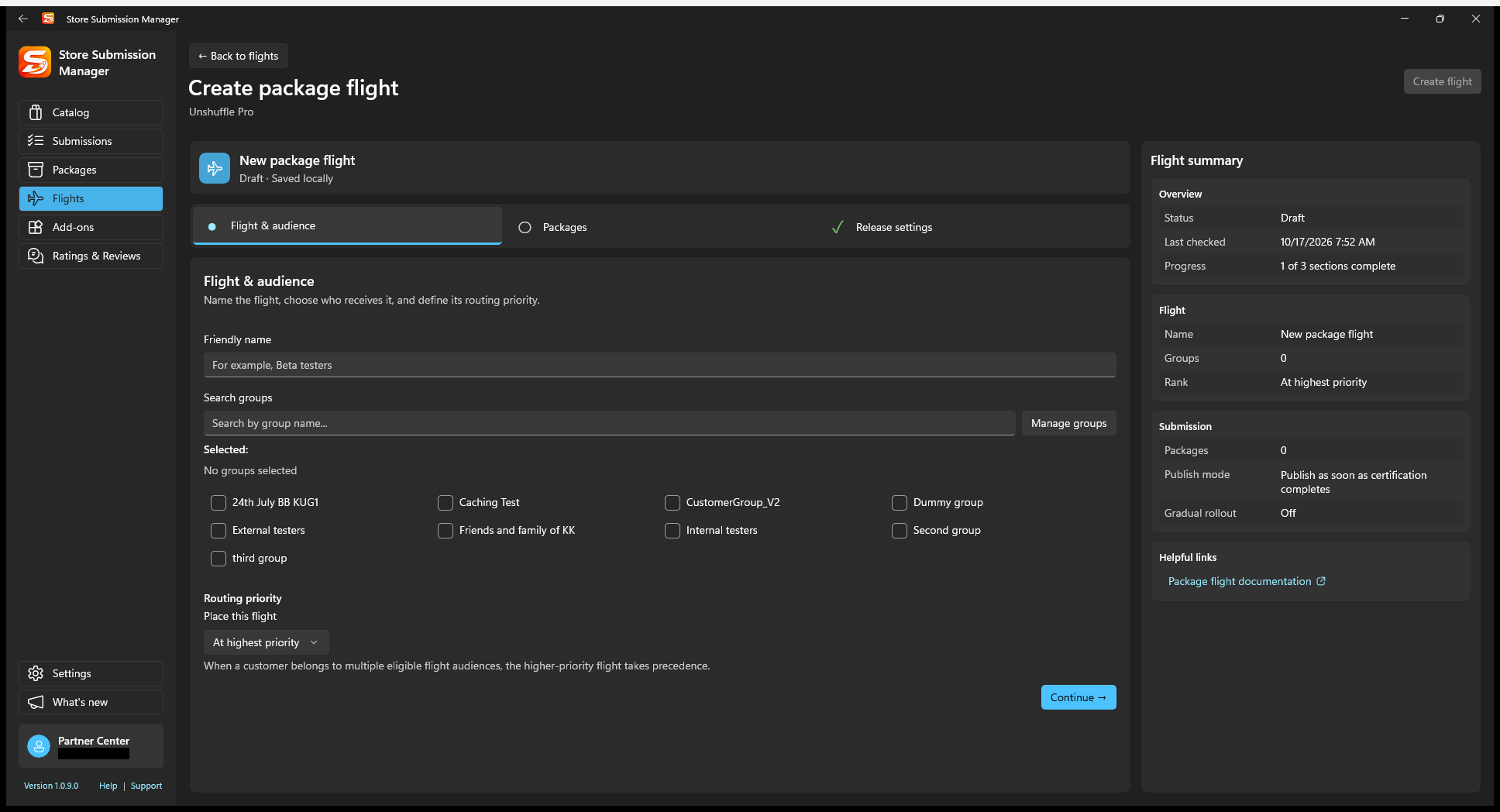
- In Flight & audience, enter a recognizable Friendly name.
- Search and select the intended groups. Use Manage groups if a known Partner Center group needs a local reference.
- Under Place this flight, choose its routing priority relative to existing flights and Retail. Higher-priority eligible flights take precedence when audiences overlap.
- Review the summary, then continue to Packages.
The current SSM editor makes these attributes read-only after creation. Use Partner Center for changes it does not expose, then refresh SSM.
2. Add packages and release settings
- Add the package from your computer or retained repository. Confirm identity, version, architectures, and the complete package set.
- Open Release settings. Choose publication after certification or a supported alternative. Manual publication still requires a later release action.
- If using gradual rollout, review the initial percentage and plan how you will monitor and complete it.
- Check the right-hand flight summary for the name, groups, priority, packages, and publish mode.
3. Create the draft, then submit it
Select Create flight when all sections are ready. SSM creates the flight and initial submission and saves the prepared content to Partner Center. This is a real service change, but it is not the same as committing the submission for certification.
After successful creation/save, review the resulting draft and select Submit when ready to start processing. If a service error occurs after creation, refresh and inspect the created resource before trying again.
Expected result: the flight appears in the routing view, and its submitted package proceeds through processing. Audience eligibility and release status still determine what customers receive.
Verify routing and history
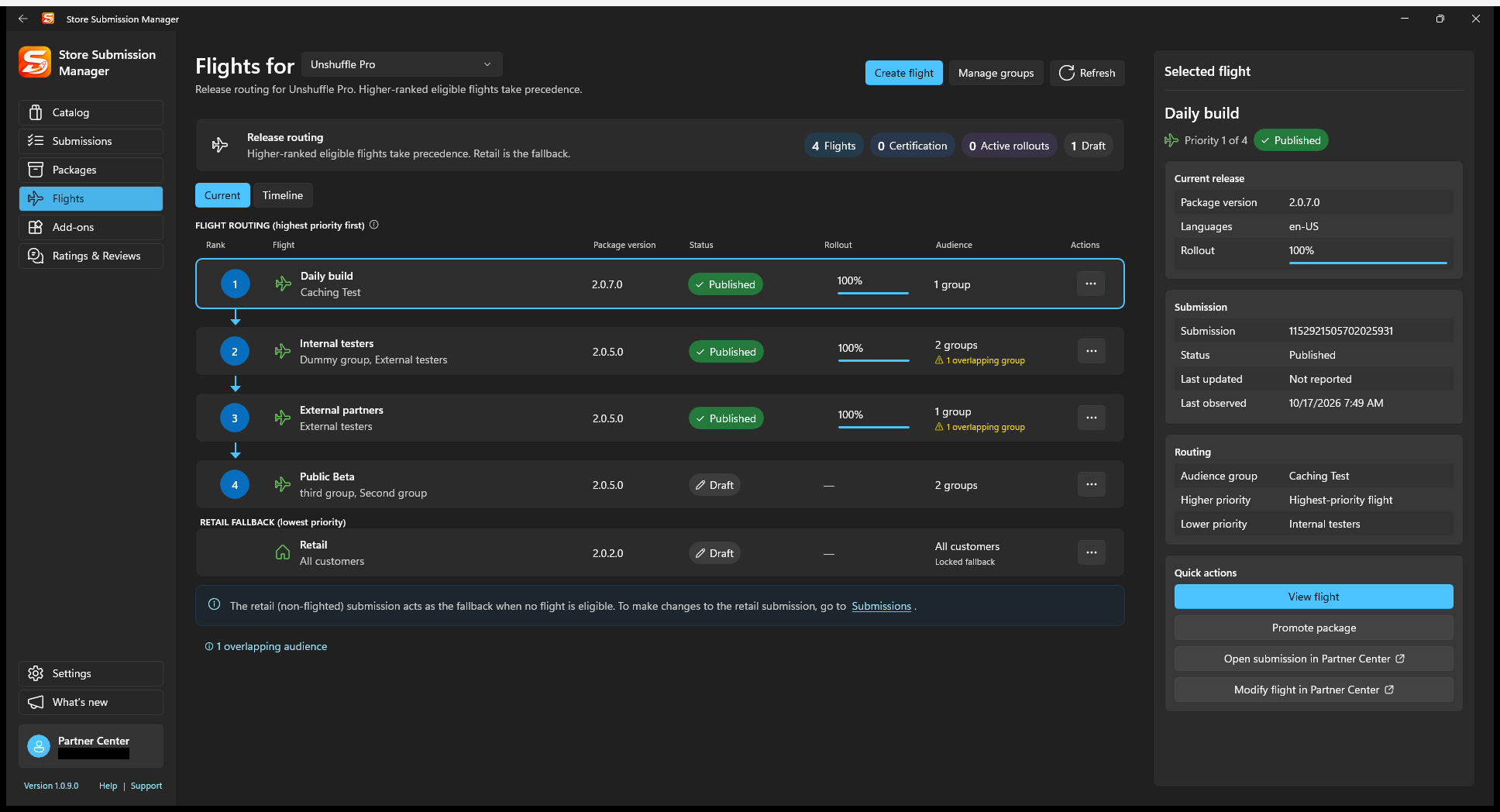
Return to Flights > Current to inspect rank, overlaps, package version, status, and rollout. Use Timeline to review locally observed changes. Retail is the fallback, not another selectable test audience.