Before you start
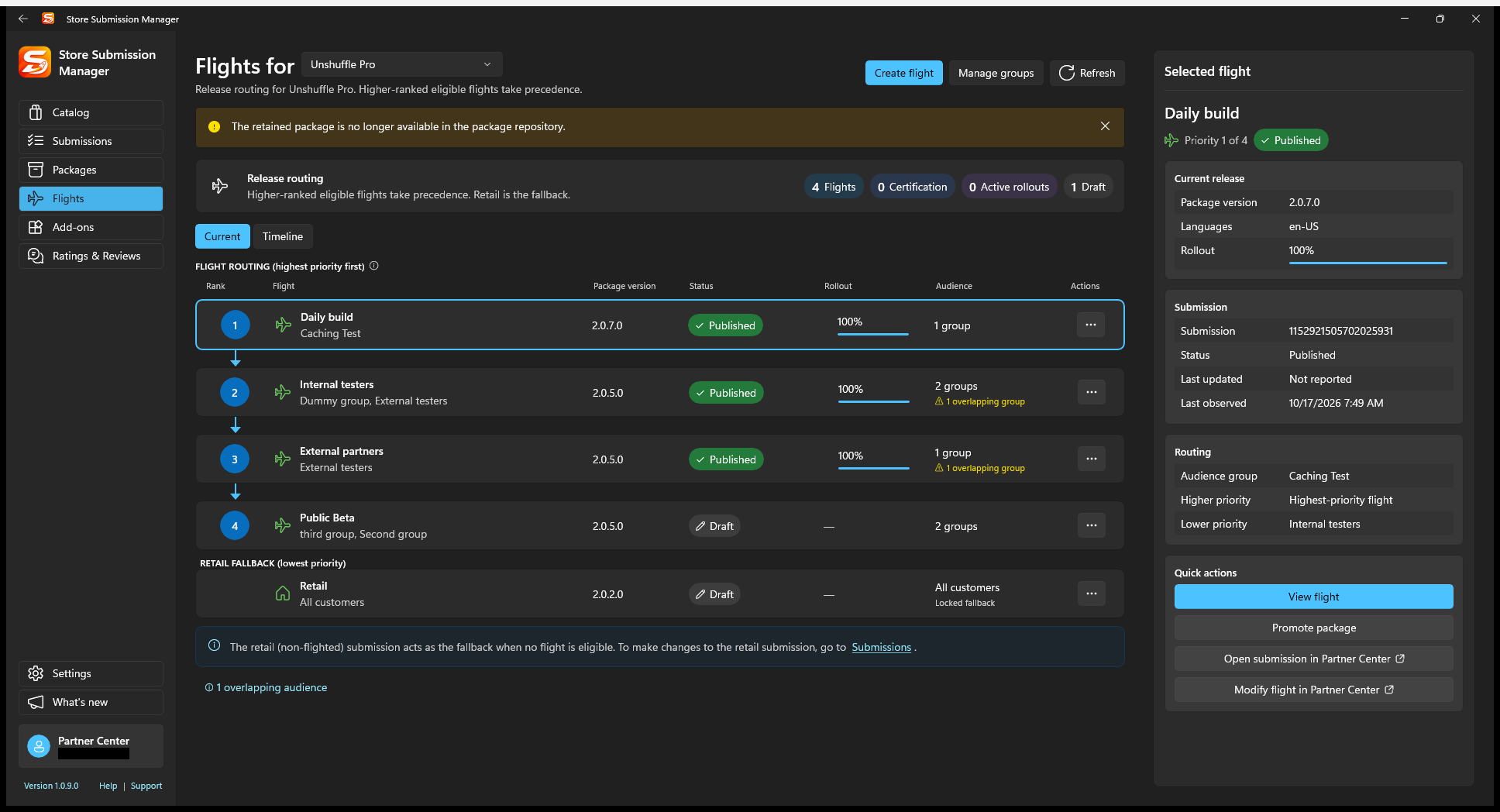
The actual package file must still exist in your local package repository and match the target product. A published version number alone is not enough: this workflow cannot recover its binary from Partner Center.
Test the version first. Free access supports one destination at a time; Pro enables multiple destinations in one operation and localized Retail release-note editing/import during promotion.
1. Select the package and destinations
- In Flights, select the source flight and choose Promote package. Alternatively select the retained package in Packages and choose the same action.
- Verify the product, version, and architectures at the top of the wizard.
- In Choose destinations, select the intended other flight or Retail. With Pro, select multiple eligible targets if needed.
- Read disabled-target explanations. Common reasons include an existing draft, the same version already present, incompatible processing status, or an active rollout.
Choose a suitable tested version and review downgrade warnings. A lower version may not replace a newer package already installed on customer devices.
Do not delete another draft merely to enable a destination without first preserving and reviewing that work. If state has changed elsewhere, use the wizard's Refresh.
2. Review Retail notes and draft-only behavior
When Retail is included, review its listing/release information. Pro provides the promotion release-notes editor, including localized notes and import. It does not automatically translate your text.
Use Save the Retail submission as a draft without submitting when you want to inspect or complete Retail content later. This applies to Retail; do not assume it leaves selected flight targets unsubmitted as well.
3. Review, commit, and inspect each result
- Review the source package, all destinations, Retail draft-only choice, and any version warnings.
- Proceed with the final prepare/submit action only when the destination effects are correct.
- Read the result for each target. A saved Retail draft still needs later review and Submit; submitted targets need certification/status monitoring.
- Return to Flights or Submissions and refresh to verify the resulting state.
One target can succeed while another fails. Inspect results and refresh the service state before retrying only the failed work; do not blindly replay targets that already succeeded.
Expected result: the selected binary is reused in the chosen destinations' submissions. Promotion does not bypass certification, guarantee immediate availability, or guarantee that a lower version will install on devices with a newer version.
If the retained package is missing
Reconnect the correct repository or reimport the matching original binary, confirm its product association, and retry. A workspace backup does not contain package binaries.