What Pro adds
| Capability | When it helps |
|---|---|
| Multi-language screenshot upload | Apply screenshots across listing languages instead of repeating uploads one locale at a time. |
| Multi-destination promotion | Promote a retained package to several eligible flights and/or Retail in one workflow. Single-destination promotion does not require this entitlement. |
| Retail release notes during promotion | Add or import localized release notes while preparing promotion to Retail. |
| Reusable market pricing profiles | Save and apply market-pricing choices rather than re-entering the same selection. |
| Listing language exchange | Import/export app and add-on listing content for work with translators. |
| Add-on bulk listing actions | Replace images or delete selected listing languages across the chosen add-on locales. |
Pro is a productivity entitlement. It does not bypass Partner Center permissions, draft restrictions, certification, or publication requirements.
How a Pro pass works
Pro uses one-time, non-renewing passes with a defined validity period, not an automatically renewing subscription. Validity begins immediately after purchase, so choose a duration that matches your release work.
- Start a Pro-marked action in SSM and review the upgrade dialog.
- Choose among the available Microsoft Store offers. Review the displayed local price and duration before buying.
- Complete the Store purchase only if you intend to activate that pass now.
- Check Settings > Licensing for the resulting plan and expiry.
Check availability and pricing in the live purchase UI rather than relying on a fixed price printed in a guide.
Check or refresh your license
Open Settings > Licensing and select Refresh Store license. The license comes from the Microsoft Store account signed in on this device, not from the tenant/client credentials used for Partner Center.
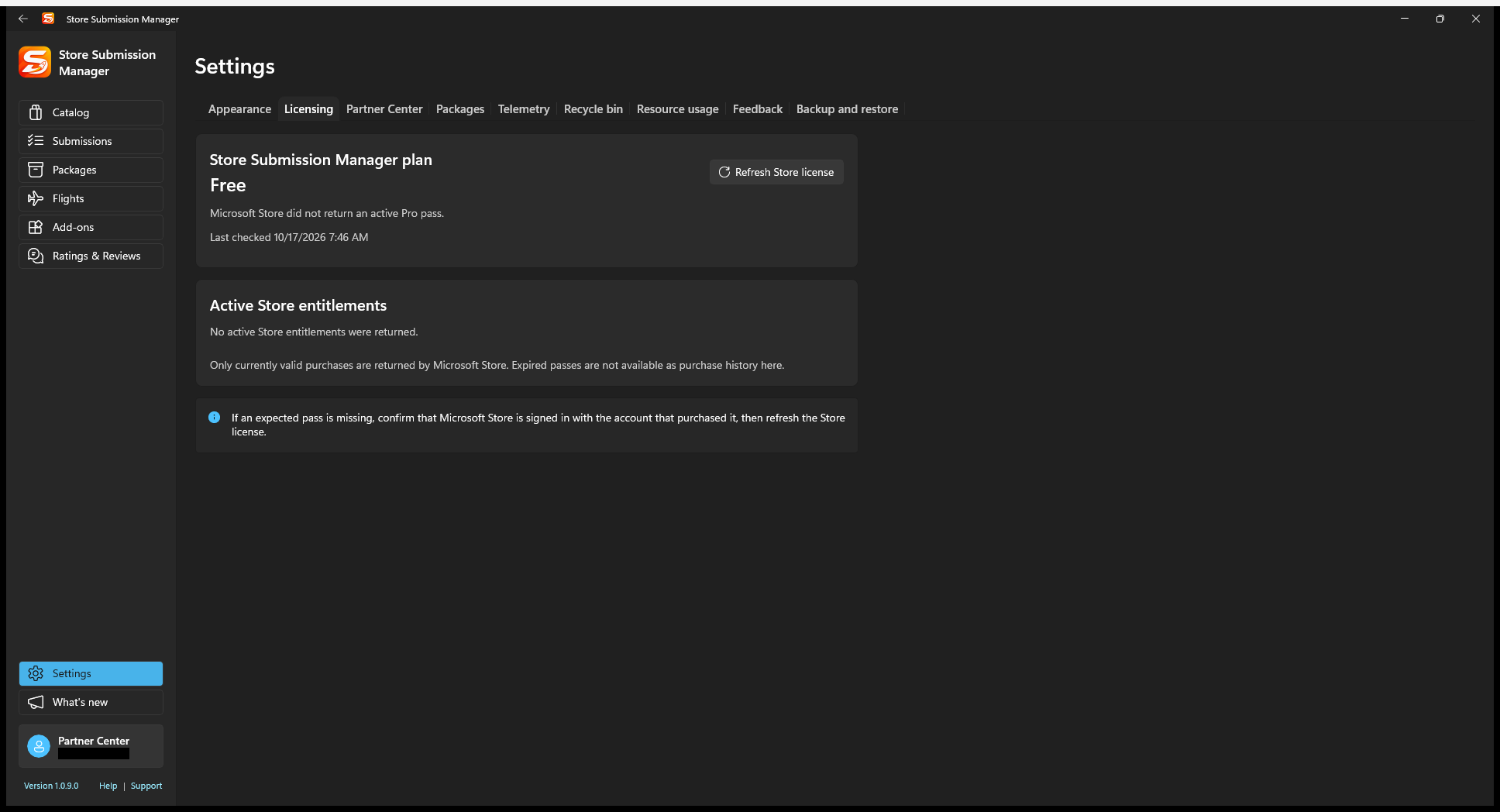
If an expected pass is missing, confirm the Store is signed in with the purchasing account, check its validity, and refresh. This list shows currently valid entitlements; it is not a complete purchase-history screen.
What not to expect
The current Pro features do not include AI translation, sentiment analysis, hosted push delivery, or cloud workspace backup. Listing exchange helps you work with a translator; it is not an automatic translation service.
Core submission preparation, single-target promotion, and viewing feedback should not be confused with the specific bulk features in the table above. A Pro pass also does not include Microsoft Store developer-account registration.